


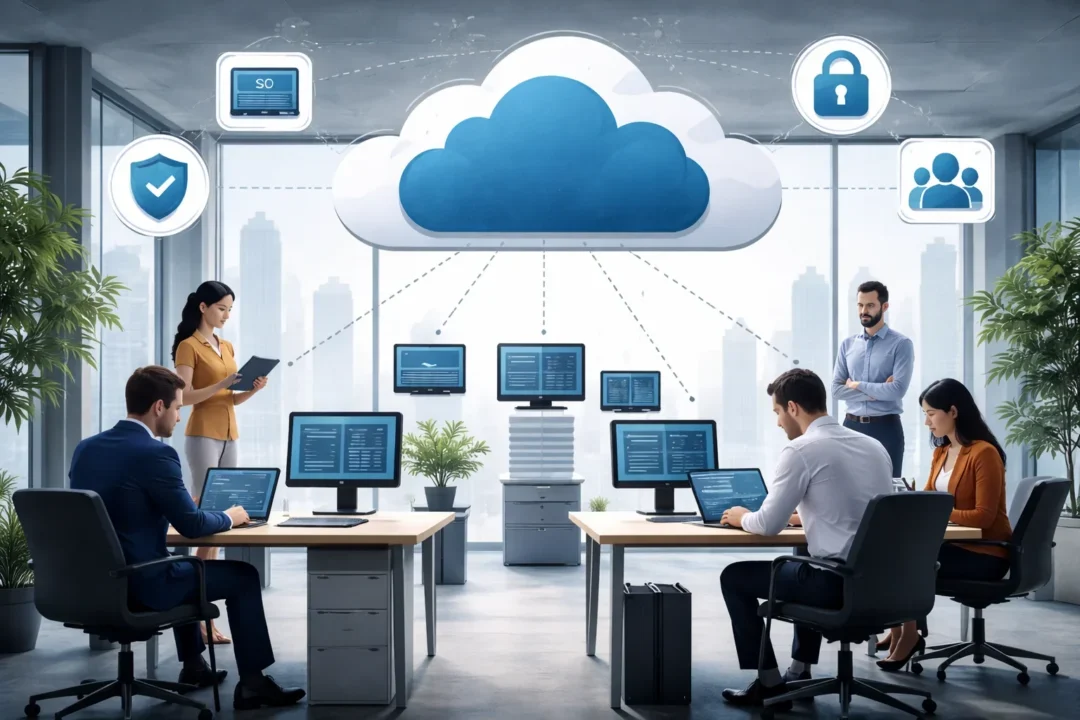
Growth is the ultimate goal for any business, but it introduces friction. A remote access strategy that worked perfectly for a startup of five people often crumbles when that same company scales to fifty, five hundred, or five thousand employees. Manual processes for creating user accounts, configuring firewalls, and troubleshooting individual connections become unsustainable bottlenecks.
For growing companies, “scalability” means more than just adding licenses. It means automated onboarding, centralized governance, mass deployment capabilities, and the ability to maintain rigorous security standards without slowing down operations. Below are five remote desktop solutions designed to scale seamlessly alongside your business.
Have questions about this story?Ask Tundra for more details, context, or updates.
1. Splashtop
Splashtop is widely adopted by small and mid-sized organizations that need structured remote access management as they grow. Unlike some legacy tools that become increasingly complex as user counts rise, Splashtop focuses on centralized administration and streamlined deployment. It supports mass installation via command-line scripts and Mobile Device Management (MDM) tools, enabling IT administrators to efficiently deploy remote access across large device fleets.
As one of the most robust, scalable remote desktop solutions for growing companies, Splashtop integrates deeply with Single Sign-On (SSO) providers like Okta, Azure AD, and JumpCloud. This integration supports centralized identity control, enabling automated provisioning and de-provisioning of user access. With device grouping, role-based permissions, and audit logging, Splashtop provides governance features suitable for growing teams.
Pros:
- SSO and directory integrations
- Mass deployment via MSI and automation tools
- Role-based access control and grouping
- Competitive pricing relative to enterprise VDI platforms
Cons:
- Not a full virtual desktop infrastructure (VDI) solution
- Some advanced security features are plan-dependent
- May lack the deep customization required by very large enterprises
2. Microsoft Azure Virtual Desktop (AVD)
For companies scaling rapidly within the Windows ecosystem, Microsoft Azure Virtual Desktop (AVD) offers a cloud-native approach to scalability. Instead of managing physical hardware for every new employee, AVD allows businesses to provision virtual Windows 10 or 11 desktops in the cloud.
The scalability of AVD is substantial. If a company needs to onboard 100 temporary contractors, IT can provision virtual sessions within the Azure environment and later scale them down as needed. This model supports fluctuating headcount and aligns with organizations adopting a Desktop-as-a-Service (DaaS) approach.
Pros:
- Cloud-based elasticity
- Strong Microsoft ecosystem integration
- Enterprise-grade compliance and security controls
- Suitable for global or distributed teams
Cons:
- Performance depends on cloud setup and network quality
- Requires Azure expertise for configuration and cost management
- Pricing can become complex depending on usage patterns
3. AnyViewer
AnyViewer is a remote desktop software developed by AOMEI Technology that supports both individual and business use cases. It offers a free version along with paid plans that introduce additional features. The platform provides standard capabilities such as unattended access, file transfer, screen sharing, and encrypted sessions.
It is generally positioned as a lightweight solution suitable for small teams or organizations in early growth stages.
Pros:
- Simple deployment and user-friendly interface
- Free tier available
- Basic security encryption included
- Stable performance for general remote access
Cons:
- Limited enterprise-level governance tools
- Fewer advanced integrations compared to larger competitors
- May not be suitable for highly complex IT environments
4. ISL Light
ISL Light offers a licensing model based on concurrent sessions rather than per-user or per-device pricing. This structure allows companies to scale usage based on active demand instead of total headcount.
For growing companies with fluctuating remote support requirements, this model can provide cost predictability. The software supports both cloud and on-premise deployment options, making it adaptable to different IT policies. According to Gartner’s 2026 IT spending forecast, investment in software infrastructure is projected to grow by over 10% this year, with a major focus on tools that can support scalable, distributed workforces.
Pros:
- Concurrent session licensing
- On-premise and cloud deployment options
- Unlimited users under certain plans
- Suitable for structured IT support teams
Cons:
- Primarily support-focused rather than full virtual desktop replacement
- The interface may feel less modern compared to newer platforms
- Limited ecosystem integrations
5. RemotePC
RemotePC provides remote access solutions designed to support small and mid-sized businesses transitioning toward larger operations. It includes MSI installers for mass deployment and administrative controls for organizing devices into groups.
Its Enterprise plans focus on centralized management without introducing heavy infrastructure requirements.
Pros:
- Cost-effective pricing structure
- MSI-based mass deployment
- Device grouping and centralized control
- Suitable for general administrative remote access
Cons:
- May not scale as seamlessly in highly regulated environments
- Fewer advanced compliance certifications than enterprise VDI platforms
- Limited deep customization
Conclusion
Selecting a scalable remote desktop solution is a strategic investment. The right tool should not just solve today’s connectivity problems; it should handle the complexity of tomorrow’s growth. Maintaining rigorous identity verification and access controls becomes exponentially more important as you scale. Whether through cloud elasticity or prioritizing scalability, ensure that your technology stack remains an enabler of growth rather than a bottleneck.
Also Read: Preventing Phishing: AU10TIX Identity Verification Practices
Frequently Asked Questions (FAQ)
1. Why is Single Sign-On (SSO) important for scalability?
SSO allows employees to log in using their existing company credentials (like their email password). For IT, this means they don’t have to manage a separate list of passwords for the remote access software. When a company grows to hundreds of users, managing separate passwords becomes a security nightmare and a massive time drain.
2. What is “Mass Deployment”?
Mass deployment is the ability to install software on many computers at once using automated tools, rather than visiting each computer individually. Scalable remote desktop solutions provide a special installer file (like an MSI) that IT can push silently to 1,000 computers instantly.
3. Can scalable solutions handle “Unattended Access” for thousands of devices?
Yes. Enterprise-grade tools are designed to maintain persistent connections to thousands of unattended machines (servers, kiosks, or office desktops) without crashing or slowing down. They use “groups” and “filters” to help IT staff find the specific computer they need in a massive list.
4. How does “concurrent licensing” help growing companies?
Concurrent licensing charges you based on activity (how many people are connected right now) rather than headcount (how many employees you have). This is often cheaper for growing companies because even if you have 50 IT staff, only 5 might be doing a remote session at the exact same time.
5. Do I need a dedicated server to scale these solutions?
Generally, no. Most modern scalable solutions (like Splashtop and Zoho Assist) are cloud-based. The provider handles the heavy server infrastructure, so you can add 1,000 new users without buying any additional server hardware.