



Disclaimer: The information provided in this article is for general informational purposes only and is not professional advice. While we aim to offer accurate and up-to-date guidance on digital security and travel safety, we cannot guarantee complete protection against cybersecurity threats. Readers should use their own judgment and take appropriate precautions when traveling and using online services.
Travel introduces unique digital security risks that can affect your devices, data, and personal information. Understanding how different travel environments increase exposure allows you to make smarter, safer decisions while on the move.
Whether you’re a frequent business traveler, a tourist exploring abroad, or a digital nomad working from multiple locations, the risks to your devices and data differ.
Have questions about this story?
Ask Tundra for more details, context, or updates.
How Travel Alters Digital Risk
Travel changes the way people use their devices, often increasing exposure to digital risks without realizing it. Unlike everyday environments, travel settings introduce unfamiliar systems, time pressure, and constant movement, all of which affect digital security.
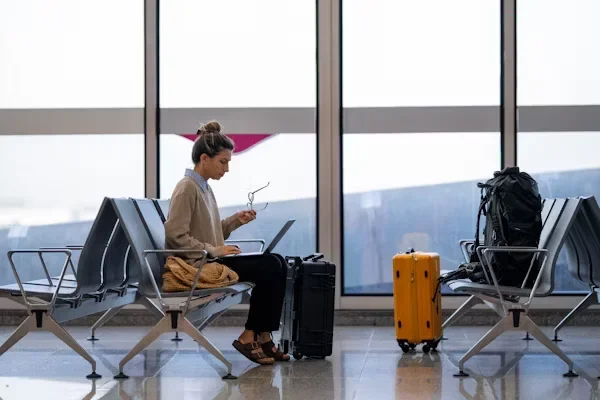
- Unfamiliar Networks: Airports, cafés, hotels, and transit hubs rely heavily on public or shared networks. These networks are often unsecured or loosely monitored, making it harder to verify who else is connected. When travelers rely on these connections for convenience, their data becomes more vulnerable than it would be on trusted home or office networks.
- Shared Devices and Systems: While traveling, people may use public computers, hotel business centers, charging stations, or check-in kiosks. These shared devices can store data, log activity, or be improperly maintained. Even brief use can expose personal information if proper precautions aren’t taken.
- Location Tracking and Digital Footprints: Travel generates more location data through apps, GPS services, Wi-Fi, and mobile networks. This expanded digital footprint can reveal movement patterns, routines, and temporary locations, increasing privacy risks if data is misused or accessed without consent.
- Distraction and Urgency: Travel often involves multitasking under pressure, boarding flights, navigating unfamiliar places, checking directions, or handling last-minute changes. In these moments, people are more likely to bypass security prompts, connect to unknown networks, or overlook privacy settings, unintentionally increasing risk.
Understanding how travel alters digital risk helps shift security from a checklist mindset to situational awareness. By recognizing these environmental factors, travelers can make more informed decisions about how and when to use their devices while on the move.
Use Strong Passwords for Every Account

Strong passwords are one of the easiest, most effective, and least expensive measures you can take to protect your personal data. A strong password will take a mix of letters, numbers and special characters, and nothing that can easily be guessed, like your birthday or name. In addition to making your accounts more secure, reusing passwords increases your potential risk if a breach occurs on one of them.
Password managers are great tools for making this easier. They can produce strong passwords, store them safely and give access only to you. If you use a password manager, you can forget all your login credentials and significantly reduce your risk of unauthorized access.
Be Cautious With Public Wi-Fi

Consider public Wi-Fi networks like those you use in a café, at the airport, or in a hotel. The same hackers can steal data from unsecured networks, jeopardizing your personal information, bank details, and emails. A VPN is one of the best ways to protect your personal information. With a VPN, your internet connection is encrypted, keeping your online activity private and harder for hackers to track. It will also hide your IP address, allowing you to unblock content that may be region-restricted.
By the way, it’s important to point out that a VPN works on any internet connection, regardless of whether it’s wired, Wi-Fi or cellular, so you don’t have to worry about being targeted on public Wi-Fi (and even if you utilize cellular data exclusively, you’re still shielded). But note: to the best of your ability, do not conduct sensitive transactions over public
One question travellers ask is: “Does a VPN work without Wi-Fi?” A VPN needs an internet connection to work; it doesn’t matter if it’s via Wi-Fi or cellular data.
Enable Multi-Factor Authentication (MFA)
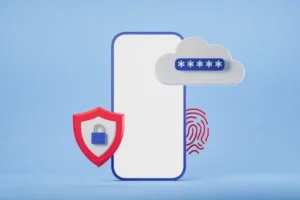
Enabling multi-factor authentication is also an essential part of online security. MFA adds an extra layer of security by requiring something beyond your password to access your accounts. This might be a code texted to your phone, an authentication app, or in some cases a fingerprint scan. Most services, including email, social media, and banking apps, support MFA, and the added step can help prevent unauthorized access if your devices are lost or stolen. It might be a minor inconvenience, but coming home from your trip with your data intact is worth it.
Recognize Potential QR Code Scams

QR codes launched as a quick way to access information, yet they’ve become targets for malicious use. Malicious QR codes can redirect you to fake websites, prompt you to download malware, or trick you into making fraudulent payments. To stay safe, avoid scanning codes from unknown sources or public signage. Consider using a QR scanner that previews the URL before opening it, allowing you to verify its legitimacy.
Keep Devices Secure
Physical security of your devices is just as important as digital security. Always keep your phones, laptops, and tablets with you, and use device encryption and strong locks for your data security. In case your device is lost or stolen, features like remote wipe can help prevent sensitive information from falling into the wrong hands. Additionally, keeping your software and apps up to date helps patch known vulnerabilities, reducing the risk of cyberattacks.
Stay Vigilant and Practice Safe Online Habits
Cybercriminals are increasingly targeting travel brands and travelers. Travel-related cyber threats are increasing, and scammers often target travelers through phishing emails, fake booking websites, or impersonation attempts. Stay alert by verifying emails and websites carefully, avoiding suspicious links, and relying only on trusted sources for transactions. Backing up important files and photos to cloud storage or an external drive before traveling is another simple step that can save you headaches if a device is lost or compromised.
Your adventures don’t have to be overridden by cybersecurity. Strong passwords, a VPN, MFA, and awareness training can go a long way toward mitigating travel risks. By taking a few preventative measures, you can keep your digital life safe and spend your time traveling focused on the experiences and memories that make it worthwhile.